Find a film
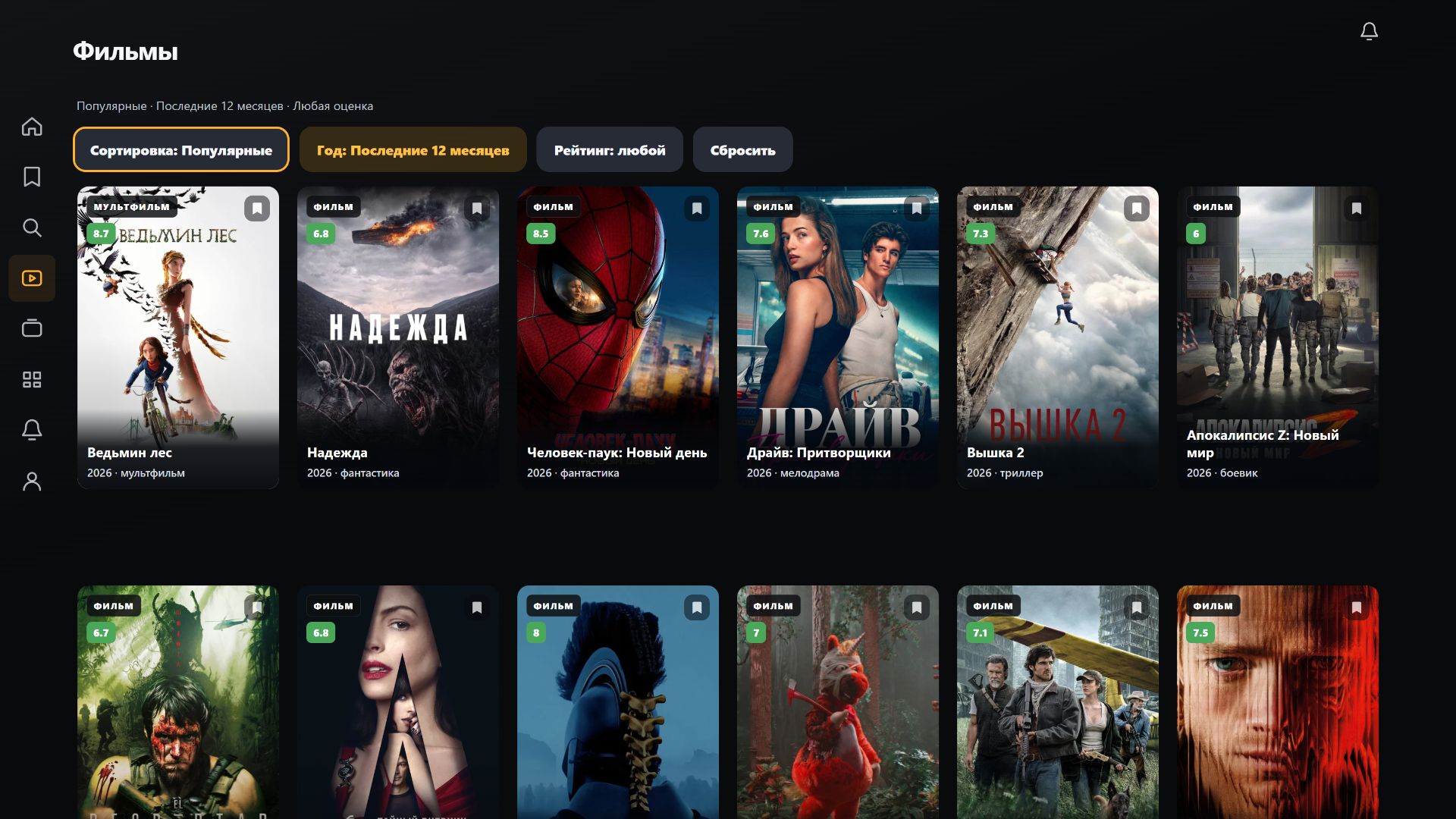
Search and filters help users move from the catalogue to a specific film or series. The detail page contains a description and actions to start watching.
A video platform with a VIDAA television application, personalised AI recommendations and an owner's workspace for platform management, reports, viewing activity, plans and payments.
Create a video application for VIDAA televisions, covering everything from choosing a film to playback, bookmarking and resuming a previous session.
Television interfaces require a different approach to interaction. Users sit away from the screen and operate the application with a remote control. Navigation, legibility and clear focus indicators therefore became the foundation of the product.
The home screen combines curated collections with a large featured film area containing a short description and actions: watch, play the trailer or bookmark. Further information is available on the film's detail page.
Navigation connects the menu, horizontal rows and individual cards. Movement between them is adapted to remote-control buttons, with highlighting that makes the next action clear.
A dark background, large posters and contrasting accents keep the interface readable on Full HD and 4K televisions.
HD-BOX offers two ways to sign in: with a username and password or through Telegram. Users can choose whichever method suits them.
HD-BOX is designed to connect to different video content providers. Source integrations are separated from the user interface, keeping the catalogue, film pages and playback controls consistent.
This approach allows provider integrations to evolve independently of application screens.
Search and filters help users move from the catalogue to a specific film or series. The detail page contains a description and actions to start watching.
The My section brings together bookmarks and titles already started. Posters show viewing progress, with filters for saved titles and continuing playback.
The application works with available audio tracks. A preferred track can also be included when recommending a title to a friend.
On a series page, viewers select a season and see episodes with titles, stills and durations. They can start the episode they want directly from this screen.
The player combines playback controls, seeking, quality settings and subtitles. Seasons and episodes open over the video, allowing users to switch episodes without returning to the catalogue.
The My section collects films and series already started. Cards show viewing progress and, for a selected series, the season, episode and remaining time.
The Continue button resumes playback from the saved position. Viewers do not need to find the title again, choose an episode and manually seek through the video.
HD-BOX uses artificial intelligence to create personalised film and series collections. The system analyses a combination of preferences — favourites, bookmarks and ratings — to find connections between user interests and catalogue content.
Recommendations are based on multiple signals rather than one action or a single genre. This helps suggest both titles with a familiar mood and new areas a viewer may enjoy.
Starting a video accidentally does not define a user's interests: recommendations rely on deliberate choices. Collections evolve as new ratings and saved films are added.
Personalised suggestions are complemented by recommendations from friends. Users can share films within the application and specify a preferred audio track. These appear in a dedicated notification section with the senders' Telegram names and avatars.
HD-BOX combines a viewer application with a separate management system for the platform owner. Viewers choose and watch content, while the owner oversees the service, analyses viewing activity and manages commercial terms.
The owner's workspace brings service management tools together in one interface.
Viewing statistics and reports help assess audience activity and content demand to inform platform development.
The owner manages plans and tracks payments. Financial operations are connected to the platform's overall management system.
HD-BOX brings the viewing experience and owner tools together in one video platform. The VIDAA application handles content selection and playback, personalised recommendations and personal collections. The owner's workspace handles service management, reports, viewing activity, plans and payments.
The product continues to evolve through improvements to remote-control interaction, screen transitions and collection organisation. New features are accompanied by in-app notifications.
Tell us about your project. We will get back to you to discuss the details.